Public Domain Sources

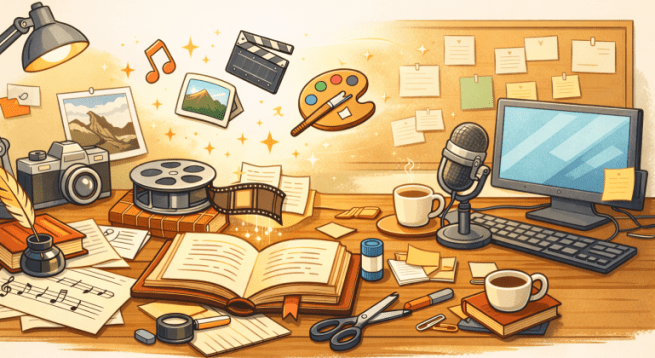
Creative workspace for content creation
Content creation using PD Sources by ChatGPT and kittehboi.

🎨 General Public Domain Search Tools

  • Creative Commons – An international nonprofit organization that empowers people to grow and sustain the thriving commons of shared knowledge and culture.
  • Europeana – Discover Europe’s digital cultural heritage.
  • Digital Public Library of America – A platform that brings together many collections of America’s libraries, archives, and museums, and makes them freely available to the world.
  • Library of Congress – Use the largest library in the world online or in person!
  • Internet Archive – A non-profit library of millions of free texts, movies, software, music, websites, and more.


📚 Books & Text

  • Project Gutenberg – A library of over 75,000 free eBooks. The world’s great literature is here, with focus on older works for which U.S. copyright has expired.
  • Internet Archive – Over 20,000,000 freely downloadable books and texts.
  • HathiTrust – Home to millions of digitized books and publications.
  • Standard Ebooks – A collection of high quality, carefully formatted, accessible, open source, and free public domain ebooks that meet or exceed the quality of commercially produced ebooks.
  • Google Books – Find and download over 10 million free books and magazines, primarily classics published before 1925.


🖼 Images & Artwork

  • Wikimedia Commons – Many public domain images (check license)
  • Library of Congress – Search millions of items in many formats and languages.
  • The Metropolitan Museum of Art – Over 492,000 images of public-domain artworks, is available for free and unrestricted use.
  • Rijksmuseum – This innovative platform opens a world of beauty and knowledge, where images, archival sources, stories, and research come together.
  • National Gallery of Art – Free open access image downloads are now available directly from the object pages located on this website. More than 60,000 images are available for download.
  • New York Public Library – Explore 1,070,667 items digitized from The New York Public Library’s collections.


🎼 Music & Audio

  • Musopen – Provides recordings, sheet music, and textbooks to the public for free, without copyright restrictions.
  • Free Music Archive – Free access to open licensed, original music by independent artists around the world.
  • Library of Congress – Use the largest library in the world online or in person!
  • Internet Archive – Recordings ranging from alternative news programming, to Grateful Dead concerts, to Old Time Radio shows, to book and poetry readings, to original music uploaded by our users.

🎥 Film & Video

  • Internet Archive – Digital movies uploaded by Archive users which range from classic full-length films, to daily alternative news broadcasts, to cartoons and concerts.
  • National Archives and Records Administration – Audio-Video and Motion Picture Preservation Labs.
  • Prelinger Archives – Collects, preserves, and facilitates access to films of historic significance that haven’t been collected elsewhere.

📰 U.S. Government Publications

Works created by U.S. federal government employees as part of their job are usually public domain.

  • NASA – Discover our intergalactic multimedia collections.
  • Centers for Disease Control and Prevention – The imagery showcased in the PHIL is historic in nature.
  • U.S. Geological Survey – provides access to over 180,000 publications written by USGS scientists over the century-plus history of the bureau.
  • National Park Service – search by keyword, location, or file type (including photos, videos, audio, webcams, and podcasts) and filter for high-quality images.

(Always check each site’s usage guidelines.)


Important Reminder

Even on trusted sites:

  • Always check the license on each item.
  • Confirm it is truly public domain.
  • When in doubt, double-check.

Public domain is powerful — and careful use keeps you safe and professional.
Using Public Domain Content

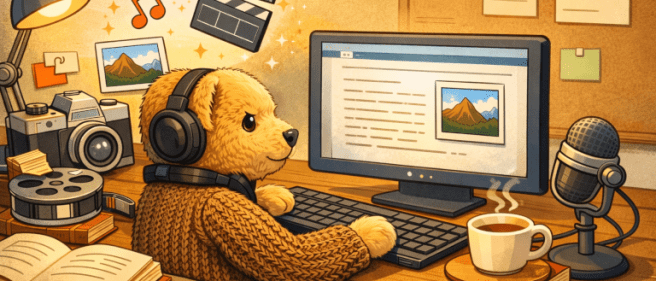
DJ Alfie at work desk
DJ Alfie at Work Desk by ChatGPT and kittehboi.

Understanding What’s Free and Legal

There’s a lot of free content on the internet. Some of it is in the public domain, which means you can use it legally. But you must be careful to understand the rules before you use anything.

Always Check Copyright

Before using any content, make sure it’s really free to use. If something is still protected by copyright, the website owner may get a DCMA Takedown Request telling them to remove the item.

Always confirm:

  • Is the work really public domain?
  • Has the copyright expired?
  • Is there clear proof it is free to use?

If you aren’t sure, don’t use it.

What Is Public Domain?

Public domain works may include:

  • Old books
  • Historical photos
  • Government publications

Public domain content belongs to everyone. You can:

  • Copy it
  • Share it
  • Change it
  • Sell it

You don’t need permission.

Here are some places to look to look for Public Domain content:

Even though you don’t have to give credit for public domain works, it’s still polite to do so.

Find more Public Domain Sources.

What Is Copyleft?

Copyleft content is different from public domain. The creator still owns the work but allows others to use it with some conditions. Many copyleft works use Creative Commons licenses.

Creative Commons licenses often include rules like:

Always read the license carefully.

How to Give Credit (Attribution)

If attribution is required, include:

  • The creator’s name
  • The title of the work
  • Where you found it (link if online)
  • The license name

Example:

File:Longcat (6435769739).jpg, Dwight Sipler from Stow, MA, USA, CC BY 2.0 via Wikimedia Commons

This protects you and shows respect for the creator.

Watch Out for Duplicate Content

Search engines can detect copied content. If you use public domain material exactly as it is, your website may not rank well.

Make your work more original and more valuable:

  • Rewrite it in your own words
  • Add your own ideas
  • Combine ideas from several sources
  • Check spelling and grammar
  • Make the tone match your style

What Can You Create with PD Content?

With public domain and properly licensed copyleft content, you can create:

  • Ebooks
  • Print books
  • Blog posts
  • Podcasts
  • Videos
  • Email newsletters

… and more!

In Summary

Public Domain = Free to use.
Copyleft = Free to use, but follow the rules.

Anipals Read

Hi pals! Pumpkin here. I have something fun to share with you. Did you know we have a book club? It’s called Anipals Read (#readpawty).

Around 2011 or 201212, @MaggieTKat started #Readpawty. We’d all read the same book and meet once a month to talk about it. Of course, sometimes we strayed from book talk and caught up with each other, but mostly we really talked about the book. We’d meet on Twitter and use the hashtag #readpawty to keep the conversation together.

Well, it’s been many years, and #readpawty has evolved. We now meet on the second Tuesday of every other month (February, April, June, August, October, and December). We still meet on Xtwit, but since Xtwit’s gotten harder to use, we meet in a DM group. Sometimes, we don’t pick a book for all of us to read and discuss, but talk about what we’ve individually read since we last met.

We also use it as a set time to meet up. We’re all very busy anipals, and are online at different times, so we rarely get to connect. This way, we know we’re going to see each other at least once every other month.

We also have a group on Goodreads called Anipals Read. I keep a bookshelf there that lists everything we’ve read as a group since 2013. There are also suggestions there of books to read.

If you’d like to join #readpawty, even if it’s just to hang out with us, email me your Xtwit name. I use email to send out announcements, and I’ll need your Xtwit name to add you to the DM group. Hope you join us!

You can find me on Xtwit as @pumpkinpuddy. I’m also on FB (Cheryl Katz), Bluesky (pumpkinpuddy.bsky.social), and Discord (pumpkinpuddy), but I’m mostly on FB. The easiest ways to reach me and be sure I see it are email or FB Messenger.

Welcome to the Anipal Times 6

This is a sample page.

Header 1

Ut enim ad minim veniam, quis nostrud exercitation ullamco laboris nisi ut aliquip ex ea commodo consequat.

Header 2

Duis aute irure dolor in reprehenderit in voluptate velit esse cillum dolore eu fugiat nulla pariatur.

Read more: Welcome to the Anipal Times 6

Header 3

Excepteur sint occaecat cupidatat non proident, sunt in culpa qui officia deserunt mollit anim id est laborum.

Continue reading “Welcome to the Anipal Times 6”