Recognizing AI Slop

How to Tell Whether Content Was Written by AI

AI Slop” is mediocre AI-generated content posted to social media such as X, Facebook, YouTube, etc., for the sole purpose of getting views and monetization. In fact, YouTube is experiencing an AI crisis. Some of the fastest-growing channels post AI content.
When an article sounds too good, suspect AI. Here are some things to watch out for.

Writing Style

  • AI writes very even paragraphs with the same length and tone.
  • AI doesn’t follow the usual essay structure. Instead it tends to repeat the same point.
  • You can swap sections or delete paragraphs without changing much.
  • AI tends to explain what something means too early instead of presenting evidence.
  • AI rarely leaves things open-ended. The ending tries to wrap everything up neatly.

Repetition & Word Games

AI says the same thing in different ways by using synonyms like important, significant, and meaningful to hide repetition.
It uses drama for emphasis, like: “It wasn’t just X. It was Y.” or “No signs. No answers.”

Tone & Emotional Manipulation

Instead of just telling what happened, it attempts to engage the reader by suggesting how they should feel. It may seem manipulative.
It often uses big words to sound “deep” but doesn’t really say anything new.
The emotional tone stays flat the whole time.

Safe Language

AI avoids strong opinions by using non-committal phrases like “Some say…” and “Others suggest…”. It avoids ruffling feathers or being outright wrong.

Impersonal

AI writing has little personality or regional voice, and it rarely includes personal anecdotes.

Common Formatting Tells

  • AI writing usually has no typos or grammatical errors.
  • Overuse of em dashes —
  • “Quotation marks” for emphasis, especially curly quotes.
  • Repeated sentence structures across paragraphs and sections.
  • Repeated information across sections.

Accuracy

AI can “hallucinate” facts. Always check sources. References may sound right but not actually exist.
This article is from The Stanford Institute for Human-Centered AI (HAI):

Large language models have a documented tendency to “hallucinate,” or make up false information. In one highly-publicized case, a New York lawyer faced sanctions for citing ChatGPT-invented fictional cases in a legal brief; many similar cases have since been reported. And our previous study of general-purpose chatbots found that they hallucinated between 58% and 82% of the time on legal queries, highlighting the risks of incorporating AI into legal practice.
AI on Trial: Legal Models Hallucinate in 1 out of 6 (or More) Benchmarking Queries

In Summary

AI seems like a shortcut to getting articles written in a hurry. But AI doesn’t usually add new ideas. Instead, it repeats and reinforces the same point.
Its strength is gathering and smoothing information but its fatal weakness is depth and originality.
If an article looks too polished, trust your instincts. Use one of the tools below to check.

Is It Wrong to Use AI?

Not completely.
AI is useful for gathering facts from multiple sources and summarizing that information, but it often falls short when writing full articles.
In this writer’s opinion, AI is better as a tool, not a replacement for human writing.

Resources

There are tools that can help identify AI articles, but none are perfect. Don’t rely on just one. Use a few and compare. The following tools have free options.
  • GPTZero is the most accurate commercial AI detector according to latest benchmarks.
  • QuillBot AI content detector is trained to detect content generated by GPT-5, Gemini, Claude, Llama, and more. A Chrome plugin is available.
  • Grammerly AI checker, trained to identify AI-generated text.

Apps for Anipals

Purrrr This is a list of some of useful tools used by @kittehboi. Some are installable, some are web-based. Many are free.

Note: Many if these apps are cross-platform. Look for these apps in the iTunes store or Google Play.

Must have

  • AVG Antivirus Free is essential free protection that won’t let you down. Paid security suite available.
  • CCleaner Clean up, speed up, and fix your PC.
  • Auslogics Duplicate File Finder creates space on your computer by finding and deleting duplicate files. The free version finds and displays duplicate files but selecting and deleting is manual. Deleted files can be backed up for later verification.
  • NordVPN encrypts your internet connection and hides your IP address and location, making you much safer and more private online.

For Creators

  • GIMP is “The Free & Open Source Image Editor”: A cross-platform image editor available for GNU/Linux, macOS, and Windows. There are many community-generated plugins to add functionality. There’s even a PhotoGIMP patch to optimize GIMP 3.0+ for Adobe Photoshop users.
  • Canva is a free-to-use online graphic design tool. Use it to create social media posts, presentations, posters, videos, logos and more.
  • NightCafe Studio is the AI Art Generator for AI artists, enthusiasts and content creators. Imagine it, create it, share it.
  • Public Domain Sources from @kittehboi on The Anipal Times lists places to get free media for posts, artwork, etc

For nerds.

  • KiCad is A Cross Platform and Open Source PCB Design Suite
  • FreeCAD is Your own 3D parametric modeler
  • Blender – professional 3D software, completely free.
  • DVDStyler is a cross-platform free DVD authoring application that makes possible for video enthusiasts to create professional-looking DVDs.
  • FileZilla®, the free FTP solution. The FileZilla Client not only supports FTP, but also FTP over TLS (FTPS) and SFTP. It is open source software
  • Arduino IDE is a modern code editor for Arduino embedded system boards.

Was It Written by AI?

When an article sounds too good, suspect AI. Here are some things to watch out for.

Writing Style

  • AI writes very even paragraphs with the same length and tone.
  • It doesn’t follow the usual essay structure. Instead it tends to repeat the same point.
  • You can swap sections or delete paragraphs without changing the meaning.
  • AI tends to explain what something means too early instead of presenting evidence.
  • AI rarely leaves things open-ended. The ending tries to wrap everything up neatly.

Repetition & Word Tricks

AI says the same thing in different ways by using synonyms like important, significant, and meaningful to hide repetition.
It uses drama for emphasis, like: “It wasn’t just X. It was Y.” or “No signs. No answers.”

Tone & Emotional Manipulation

  • Instead of just telling what happened, AI suggests how you should feel. It may feel manipulative.
  • AI often uses big words to sound “deep” but doesn’t really say anything new.
  • The emotional tone stays flat the whole time.

Safe Language

AI avoids strong opinions by using non-committal phrases like “Some say…” and “Others suggest…”. It avoids ruffling feathers or being outright wrong.

Impersonal

AI writing has no typos or grammatical errors. It has little personality or regional voice, and it rarely includes personal anecdotes.

Common AI Formatting Tells

  • Overuse of em dashes —
  • “Quotation marks” for emphasis, especially “curly quotes”
  • Repeated sentence structures across paragraphs
  • Repeated information across sections

Accuracy

AI can “hallucinate” facts. Always check sources. References may sound right but not actually exist.

Large language models have a documented tendency to “hallucinate,” or make up false information. In one highly-publicized case, a New York lawyer faced sanctions for citing ChatGPT-invented fictional cases in a legal brief; many similar cases have since been reported. And our previous study of general-purpose chatbots found that they hallucinated between 58% and 82% of the time on legal queries, highlighting the risks of incorporating AI into legal practice.
– The Stanford Institute for Human-Centered AI (HAI), “AI on Trial: Legal Models Hallucinate in 1 out of 6 (or More) Benchmarking Queries

Summary

AI doesn’t usually add new ideas. Instead, it repeats and reinforces the same point.

AI’s strength is gathering information but its fatal weakness is depth and originality.

If an article looks too polished, trust your instincts. Use one of the tools below to check.

Is It Wrong To Use AI?

Not completely.

AI is useful for gathering facts from multiple sources and summarizing that information, but it often falls short when writing full articles.

In this writer’s opinion, AI is better as a research tool, not a replacement for human writing.

Resources

There are free tools that can help identify AI articles, but none are perfect.

  • GPTZero GPTZero detects AI content from ChatGPT, GPT-5, Claude, Gemini, and checks writing quality to make every word worth reading.
  • QuillBot AI Detector by QuillBot. Paste your text to check whether it was written by AI. Our AI detector is trained to detect content generated by GPT-5, Gemini, Claude, Llama, and more.
  • Grammarly Grammarly. Navigate responsible AI use with our AI checker, trained to identify AI-generated text. A clear score shows how much of your work appears to be written with AI so you can submit it with peace of mind.

Getting Started with ChatGPT

Getting Started with ChatGPT: A Quick Guide for Beginners

Getting Started With ChatGPT
by ChatGPT and kittehboi

Although ChatGPT can be a hard-hitter, solving tough problems in finance, engineering, math and physics, it can be your personal idea buddy, helper, and teacher too! The more you play with it, the more you’ll discover. Go to ChatGPT.com and give it a try!

Start Simple

Try asking about everyday topics:
“Help me write a short thank-you note.”
“What’s a good dinner recipe with chicken, almonds, and rice?”
“Can you explain gravity like I’m 10 years old?”

Be Clear and Specific

The more specific your question, the better the answer.
Instead of: “Tell me about dogs”
Try: “What’s the best dog breed for apartment living?”

Talk Naturally

You don’t need special commands. Just ask like you would ask a friend:
“What’s a fun book series for teens?”
“How do I make a resume?”

Ask Follow-Up Questions

If the answer isn’t quite right, reword the question.
“Can you explain that in simpler words?”
“What are some examples?”
“Can you show me a shorter version?”

Use ChatGPT for All Kinds of Tasks

Learning and studying: “Summarize the American Revolution.”
Creative writing: “Write a poem about the ocean.”
Brainstorming: “Give me 10 gift ideas for a 12-year-old.”
Planning: “Help me create a budget for vacation.”
Emails and messages: “Draft a professional thank-you email.”

Ask for Help About ChatGPT

You can even ask how to use ChatGPT better:
“What kinds of things can I ask you?”
“What’s the best way to get creative ideas from ChatGPT?”

Enjoy the Journey!

Public Domain Sources

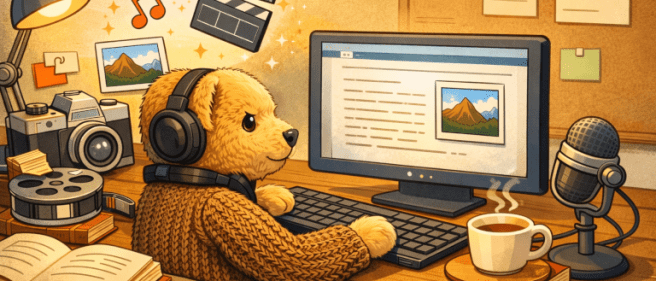
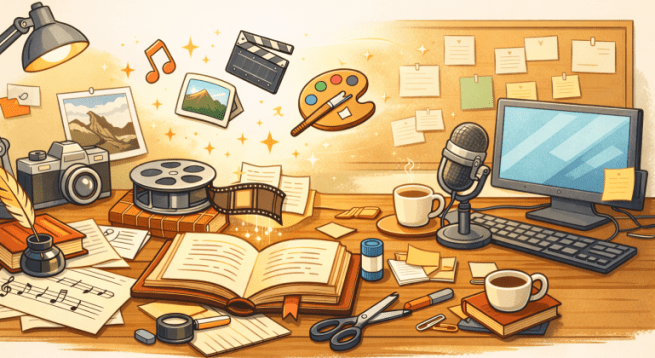
Creative workspace for content creation
Content creation using PD Sources by ChatGPT and kittehboi.

🎨 General Public Domain Search Tools

  • Creative Commons – An international nonprofit organization that empowers people to grow and sustain the thriving commons of shared knowledge and culture.
  • Europeana – Discover Europe’s digital cultural heritage.
  • Digital Public Library of America – A platform that brings together many collections of America’s libraries, archives, and museums, and makes them freely available to the world.
  • Library of Congress – Use the largest library in the world online or in person!
  • Internet Archive – A non-profit library of millions of free texts, movies, software, music, websites, and more.


📚 Books & Text

  • Project Gutenberg – A library of over 75,000 free eBooks. The world’s great literature is here, with focus on older works for which U.S. copyright has expired.
  • Internet Archive – Over 20,000,000 freely downloadable books and texts.
  • HathiTrust – Home to millions of digitized books and publications.
  • Standard Ebooks – A collection of high quality, carefully formatted, accessible, open source, and free public domain ebooks that meet or exceed the quality of commercially produced ebooks.
  • Google Books – Find and download over 10 million free books and magazines, primarily classics published before 1925.


🖼 Images & Artwork

  • Wikimedia Commons – Many public domain images (check license)
  • Library of Congress – Search millions of items in many formats and languages.
  • The Metropolitan Museum of Art – Over 492,000 images of public-domain artworks, is available for free and unrestricted use.
  • Rijksmuseum – This innovative platform opens a world of beauty and knowledge, where images, archival sources, stories, and research come together.
  • National Gallery of Art – Free open access image downloads are now available directly from the object pages located on this website. More than 60,000 images are available for download.
  • New York Public Library – Explore 1,070,667 items digitized from The New York Public Library’s collections.


🎼 Music & Audio

  • Musopen – Provides recordings, sheet music, and textbooks to the public for free, without copyright restrictions.
  • Free Music Archive – Free access to open licensed, original music by independent artists around the world.
  • Library of Congress – Use the largest library in the world online or in person!
  • Internet Archive – Recordings ranging from alternative news programming, to Grateful Dead concerts, to Old Time Radio shows, to book and poetry readings, to original music uploaded by our users.

🎥 Film & Video

  • Internet Archive – Digital movies uploaded by Archive users which range from classic full-length films, to daily alternative news broadcasts, to cartoons and concerts.
  • National Archives and Records Administration – Audio-Video and Motion Picture Preservation Labs.
  • Prelinger Archives – Collects, preserves, and facilitates access to films of historic significance that haven’t been collected elsewhere.

📰 U.S. Government Publications

Works created by U.S. federal government employees as part of their job are usually public domain.

  • NASA – Discover our intergalactic multimedia collections.
  • Centers for Disease Control and Prevention – The imagery showcased in the PHIL is historic in nature.
  • U.S. Geological Survey – provides access to over 180,000 publications written by USGS scientists over the century-plus history of the bureau.
  • National Park Service – search by keyword, location, or file type (including photos, videos, audio, webcams, and podcasts) and filter for high-quality images.

(Always check each site’s usage guidelines.)


Important Reminder

Even on trusted sites:

  • Always check the license on each item.
  • Confirm it is truly public domain.
  • When in doubt, double-check.

Public domain is powerful — and careful use keeps you safe and professional.

Using Public Domain Content

DJ Alfie at work desk
DJ Alfie at Work Desk by ChatGPT and kittehboi.

Understanding What’s Free and Legal

There’s a lot of free content on the internet. Some of it is in the public domain, which means you can use it legally. But you must be careful to understand the rules before you use anything.

Always Check Copyright

Before using any content, make sure it’s really free to use. If something is still protected by copyright, the website owner may get a DCMA Takedown Request telling them to remove the item.

Always confirm:

  • Is the work really public domain?
  • Has the copyright expired?
  • Is there clear proof it is free to use?

If you aren’t sure, don’t use it.

What Is Public Domain?

Public domain works may include:

  • Old books
  • Historical photos
  • Government publications

Public domain content belongs to everyone. You can:

  • Copy it
  • Share it
  • Change it
  • Sell it

You don’t need permission.

Here are some places to look to look for Public Domain content:

Even though you don’t have to give credit for public domain works, it’s still polite to do so.

Find more Public Domain Sources.

What Is Copyleft?

Copyleft content is different from public domain. The creator still owns the work but allows others to use it with some conditions. Many copyleft works use Creative Commons licenses.

Creative Commons licenses often include rules like:

Always read the license carefully.

How to Give Credit (Attribution)

If attribution is required, include:

  • The creator’s name
  • The title of the work
  • Where you found it (link if online)
  • The license name

Example:

File:Longcat (6435769739).jpg, Dwight Sipler from Stow, MA, USA, CC BY 2.0 via Wikimedia Commons

This protects you and shows respect for the creator.

Watch Out for Duplicate Content

Search engines can detect copied content. If you use public domain material exactly as it is, your website may not rank well.

Make your work more original and more valuable:

  • Rewrite it in your own words
  • Add your own ideas
  • Combine ideas from several sources
  • Check spelling and grammar
  • Make the tone match your style

What Can You Create with PD Content?

With public domain and properly licensed copyleft content, you can create:

  • Ebooks
  • Print books
  • Blog posts
  • Podcasts
  • Videos
  • Email newsletters

… and more!

In Summary

Public Domain = Free to use.
Copyleft = Free to use, but follow the rules.

How to Use Social Media Safely

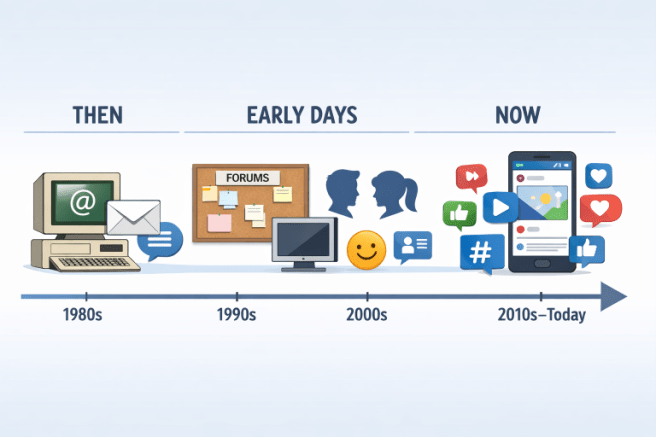
Evolution of online communication
by ChatGPT and @kittehboi

A Guide for Anipals

  • Pick the Right App
    Use apps you understand, preferably recommended by trusted friends. Read the app’s Privacy Statement and if you disagree, don’t sign up! Despite what you see on Facebook, it’s not possible to unilaterally override a binding contract by posting that you disagree.
  • Keep Your Info Private
    Don’t share your full name, address, or phone number. Don’t share your email address or your workplace. Make your account private. There are millions of people globally on social media and they aren’t all nice. Most apps have a Settings section where you can pick your privacy, enable or disable notifications, allow AI to train with your posts, manage advertising preferences, and maintain your block list.
  • Use Strong Passwords
    Pick a password no one can guess. Don’t reuse old ones. If you use something obvious like your spouse’s birthday or your pet’s name, anybody who can find that information can guess your password, log in to your account, lock you out, then post terrible things in your name.
  • Think Before You Post
    Never say anything on the internet you wouldn’t want to see spray-painted on the front of your house. This goes for private messages too. Companies may change their privacy policies and expose DMs and profile info. A corollary to this is that unless you delete your posts then your entire account, your posts may show up 5, 10, or even 40 years later.
  • Be Kind
    No name-calling or threats. A reputation can be gone in a minute with a single post. You never know whether deleted posts are really deleted, or whether somebody is screen-capturing conversations. The obverse, of course, is to BLOCK rude people. It’s not worth the aggravation.
  • Don’t Fall for Fake News
    Check before you believe or share a story. Look up the original source on a legitimate, well-known web page. BTW, Wikipedia itself isn’t a reliable web page, but the References at the bottom of the article often are. Bad actors can generate false videos- deepfakes – using AI. Avoid biased pages. Remember, Snopes is your friend.

Links for Further Reading

Where To Find Free! Ebooks

If you love to read ebooks, but your wallet is thin, there are many sites online for free ebooks. Here are just a few.

  • Your local library!
    Your local library’s web page probably includes eBooks and audiobooks to borrow. If you don’t have a library card, do get one! It’s free.
  • Project Gutenberg
    Project Gutenberg is an online library of over 70,000 free eBooks to download or read online. Much of the world’s great public domain literature is available. Many titles are also available as audiobooks.
  • The Internet Archive
    The Internet Archive offers over 20,000,000 freely downloadable ebooks. There is also a collection of 2.3 million modern eBooks that may be borrowed by anyone with a free Internet Archive account.
  • Open Library
    Open Library’s catalog provides links to discover, borrow, and read from the Internet Archive’s collections. Your Internet Archive account can be used to sign-in to Open Library.
  • Standard Ebooks
    Standard Ebooks provides beautifully-formatted editions of ebooks found in Project Gutenberg.
  • Ebooks.com
    400 of their most popular classics to read, free of charge.
  • Free-eBooks.net
    Free-eBooks.net connects readers with thousands of free ebooks across every genre — fiction, business, self-help, mystery, romance, and more. Join free in seconds.
  • For the Amazon Kindle:
  • You can, of course, borrow hardcopy from your local library.
    • Use InterLibrary Loan (ILL) to borrow books from other libraries. Ask the librarian.
    • OverDrive and WorldCat are both online catalogs to help you locate library books for ILL, including rare or unique hardcopy.

Do you have a favorite site for free ebooks or audiobooks not listed here? Please leave a comment.